
Ford Escape: Audio System / AM/FM Radio
AM/FM Radio Limitations
The further you travel from an AM or FM station, the weaker the signal and the weaker the reception.
Hills, mountains, tall buildings, bridges, tunnels, freeway overpasses, parking garages, dense tree foliage and thunderstorms can interfere with the reception.
When you pass a ground-based broadcast repeating tower, a stronger signal may overtake a weaker one and result in the audio system muting.
Selecting a Radio Station
Manually Selecting a Radio Station
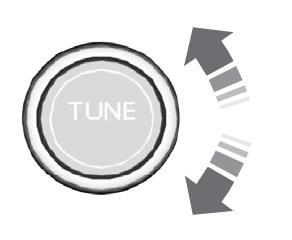
Turn to search through the radio frequency band.
Using Direct Tune
- Press Direct Tune to open the number pad.
- Enter the station you prefer.
Note: You can only enter a valid station for the audio source you are currently listening to.
Using Seek
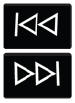 Press either button. The system
stops at the first station it finds
in that direction.
Press either button. The system
stops at the first station it finds
in that direction.
Using the Station List
- Press Browse.
- Note: Available on FM radio only.
- Press a station.
 Setting the Clock and Date
Access the vehicle drawer on the
touchscreen.
Press SETTINGS.
Press Clock.
Set the time.Note: The AM and PM options are not
available if 24-hour mode is on...
 Digital Radio
What Is Digital Radio
HD Radio™ technology is the digital
evolution of analog AM/FM radio.
For additional information, visit
www.HDRadio.com.
HD Radio Technology is manufactured
under license from iBiquity Digital
Corporation and foreign patents...
Other information:
Ford Escape 2020-2026 Service Manual: General Procedures - Seatbelt System Functional Tests
Check Functional Test - Seatbelt Buckle and Tongue WARNING: All seatbelt components must be inspected and corrected as part of any collision repair. Inspect all seatbelt components as prescribed by Seatbelt Procedure After a Collision found in Section 501-20A General Procedures of this manual...
Ford Escape 2020-2026 Service Manual: Diagnosis and Testing - Variable Camshaft Timing (VCT) System
Diagnostic Trouble Code (DTC) Chart Diagnostics in this manual assume a certain skill level and knowledge of Ford-specific diagnostic practices.REFER to: Diagnostic Methods (100-00 General Information, Description and Operation). Module DTC Description Action PCM P000A:00 'A' Camshaft Position Slow Response (Bank 1): No Sub Type Information GO to Pinpoint Test HK PCM P000B..
Categories
- Manuals Home
- 4th Generation Ford Escape Owners Manual
- 4th Generation Ford Escape Service Manual
- Switching the Rear Window Wiper On and Off. Reverse Wipe
- Fuel Quality
- Locating the Pre-Collision Assist Sensors
- New on site
- Most important about car
Symbols Glossary
These are some of the symbols you may see on your vehicle.
 Air conditioning system
