Ford Escape: Storage
Cup Holders
Cup Holder Precautions
WARNING: Use caution when stowing items or hot drinks in the cup holders. Items could become loose or spill during hard braking, acceleration or crashes. Failure to follow this instruction could result in personal injury.
vin88Glasses Holder
Locating the Glasses Holder
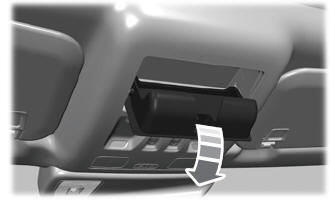
The glasses holder is in the overhead console. Press near the rear edge of the door to open.
 Wireless Accessory Charger
What Is the Wireless Accessory Charger
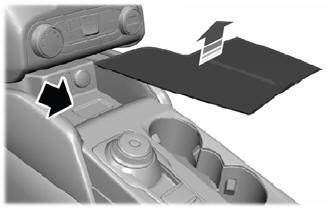
The wireless accessory charger allows you
to charge one compatible Qi wireless
charging device on the charging area...

Other information:
Ford Escape 2020-2026 Service Manual: Removal and Installation - Cabin Heater Coolant Pump
Special Tool(s) / General Equipment Hose Clamp(s) Removal NOTE: Removal steps in this procedure may contain installation details. Remove the front bumper cover. Refer to: Front Bumper Cover (501-19 Bumpers, Removal and Installation). Disconnect the electrical connector and wiring harness routing clip. Clamp the coolant hoses, release an..
Ford Escape 2020-2026 Service Manual: Removal and Installation - Roof Opening Panel Shield
Removal NOTE: Removal steps in this procedure may contain installation details. Remove the roof opening panel glass. Refer to: Roof Opening Panel Glass (501-17 Roof Opening Panel, Removal and Installation). Press the glass down button and then press the shield close button closing the roof opening panel shield until the cross bar of the shield is positioned in the mi..
Categories
- Manuals Home
- 4th Generation Ford Escape Owners Manual
- 4th Generation Ford Escape Service Manual
- General Procedures - Transmission Fluid Level Check
- Plug-In Hybrid Electric Vehicle Drive Modes
- Locating the Pre-Collision Assist Sensors
- New on site
- Most important about car
Master Access Code
What Is the Master Access Code
The master access code is a factory-set five-digit entry code. You can operate the keypad with the master access code at any time. The master access code is on the owner’s wallet card in the glove box and is available from an authorized dealer.
Displaying the Master Access Code
To display the factory-set code in the information display: