
Ford Escape: Drive Mode Control / Selecting a Drive Mode - Plug-In Hybrid Electric Vehicle (PHEV) and Hybrid Electric Vehicle (PHEV)
Selecting a Drive Mode - Plug-In Hybrid Electric Vehicle (PHEV)
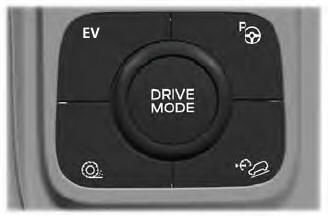
To select drive modes, use the console mounted control.
Note: Drive mode changes may not be available when the ignition is off.
Note: Button icon shown may vary from your vehicle.
Note: Selected drive mode displays in the information cluster display.
Selecting a Drive Mode - Excluding: Plug-In Hybrid Electric Vehicle (PHEV)
Note: Drive mode changes may not be available when the ignition is off.
Note: Button icon shown may vary from your vehicle.
Note: Selected drive mode displays in the information display.
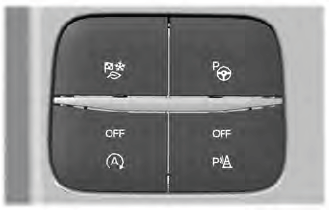
To select drive modes, use the console mounted control.
 What Is Drive Mode Control
The system delivers a driving experience
through a suite of sophisticated electronic
vehicle systems. These systems optimize
steering, handling and powertrain
response...
 Drive Modes
Deep Snow/Sand (If Equipped)
Use this mode to aid you in
getting your vehicle unstuck
from deep snow or sand.
Note: The intent of your all-wheel drive
vehicle is not for off-road use...
Other information:
Ford Escape 2020-2026 Service Manual: Description and Operation - Steering Wheel and Column Electrical Components - Overview
Steering Column Switches Overview The steering column switches are located on and around the steering column. They enable the driver to control various vehicle functions while remaining focused on driving. The steering column switches consist of: Left multifunction switch is mounted on the left side of the SCCM and is used to control the turn signals, low/high beam selection and the fla..
Ford Escape 2020-2026 Service Manual: Removal and Installation - Transmission Case Cover
Materials Name Specification Motorcraft® Ultra Silicone SealantTA-29 WSS-M4G323-A8 Removal Remove the transmission. Refer to: Transmission (307-01B Automatic Transmission - Automatic Transmission – HF45, Removal and Installation). NOTE: Mark the location of the studbolts for assembly. NOTE: The transmission case cover bolts are low pro..
Categories
- Manuals Home
- 4th Generation Ford Escape Owners Manual
- 4th Generation Ford Escape Service Manual
- Fuel Quality
- Power Outlet - Vehicles With: 12V Power Outlet
- What Is the Tire Pressure Monitoring System. Tire Pressure Monitoring System Overview
- New on site
- Most important about car
Push Button Ignition Switch

Switching the Ignition Off
When the ignition is on or in accessory mode, press the push button ignition switch once without your foot on the brake pedal.
