
Ford Escape: Liftgate - Vehicles With: Power Liftgate / Stopping the Liftgate Movement. Liftgate Obstacle Detection
Stopping the Liftgate Movement
Note: Do not apply sudden excessive force to the liftgate while it is in motion. This could damage the power liftgate and its components.
Note: Selections will vary depending on region or options.
You can stop the liftgate movement by doing any of the following:
- Pressing the outside liftgate control button.
- Pressing the inside liftgate control button.
- Pressing the liftgate button on the remote control twice.
- Pressing the liftgate button on an authorized device.
- Moving your foot under and away from the center rear bumper in a single-kick motion.
Liftgate Obstacle Detection
Closing the Liftgate
The system stops when it detects an obstacle. A tone sounds and the system reverses to open. Once you remove the obstacle, you can power close the liftgate.
Note: To prevent accidental obstacle detection, let the power liftgate close completely before you enter your vehicle.
Opening the Liftgate
The system stops when it detects an obstacle and a tone sounds. Once you remove the obstacle, you can continue to operate the liftgate.
 Closing the Liftgate
Closing the Liftgate From Inside Your Vehicle
WARNING: Make sure all persons
are clear of the power liftgate area
before using the power liftgate control...
 Liftgate – Troubleshooting
Liftgate – Warning Lamps
Illuminates when the liftgate is
not completely closed.
Liftgate – Information Messages
Liftgate – Frequently Asked Questions
Why won't my power liftgate function?
Make sure the transmission is in park
(P), ensure nothing is obstructing the
liftgate path and there is not excessive
weight on the liftgate...
Other information:
Ford Escape 2020-2026 Service Manual: Description and Operation - Transmission Cooling - Hybrid Electric Vehicle (HEV)
Component Location Item Part Number Description 1 7R0817R081 Transmission fluid cooler tubes 2 7A0957A095 Transmission fluid cooler ..
Ford Escape 2020-2026 Service Manual: Description and Operation - Electric Powertrain Control - Component Location
Inverter System Controller Item Description 1 Inverter System Controller High Voltage Battery Coolant Temperature Sensor Item Description 1 High Voltage Battery Coolant Temperature Sensor ..
Categories
- Manuals Home
- 4th Generation Ford Escape Owners Manual
- 4th Generation Ford Escape Service Manual
- Description and Operation - Identification Codes
- Electric Parking Brake
- Fuel Quality
- New on site
- Most important about car
Sitting in the Correct Position
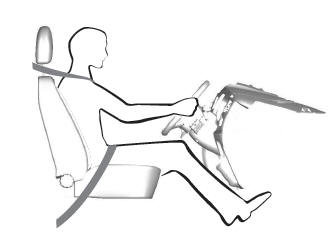
When you use them properly, the seat, head restraint, seatbelt and airbags will provide optimum protection in the event of a crash.
