
Ford Escape 2020-2026 Service Manual / Chassis / Steering System / Steering Wheel and Column Electrical Components / Removal and Installation - Steering Column Control Module (SCCM)
Ford Escape: Steering Wheel and Column Electrical Components / Removal and Installation - Steering Column Control Module (SCCM)
Removal
NOTE: Removal steps in this procedure may contain installation details.
-
NOTE: This step is only necessary when installing a new component.
NOTE: The PMI process must begin with the current SCCM installed. If the current SCCM does not respond to the diagnostic scan tool, the tool may prompt for As-Built Data as part of the repair.
Using a diagnostic scan tool, begin the PMI process for the SCCM following the on-screen instructions.
-
Remove the steering wheel.
Refer to: Steering Wheel (211-04 Steering Column, Removal and Installation).
-
Remove the steering column shrouds.
Refer to: Steering Column Shrouds (501-05 Interior Trim and Ornamentation, Removal and Installation).
-
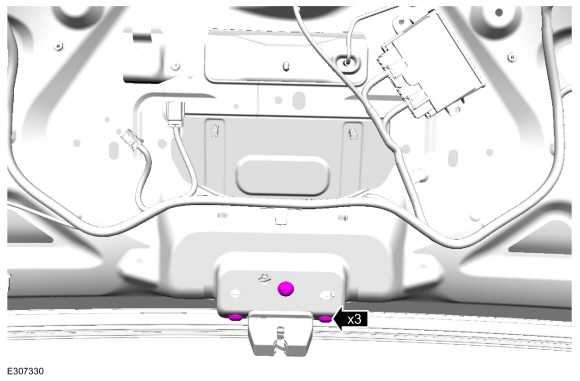
Disconnect the SCCM electrical connectors and position the wiring harness aside.
 |
-
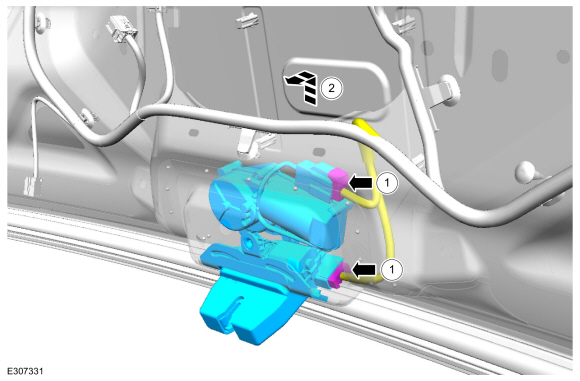
Remove the retainers and the SCCM .
Torque: 27 lb.in (3 Nm)
 |
Installation
-
To install, reverse the removal procedure.
-
NOTE: This step is only necessary when installing a new component.
Using a diagnostic scan tool, complete the PMI process for the SCCM following the on-screen instructions.
 Diagnosis and Testing - Steering Wheel and Column Electrical Components
Diagnostic Trouble Code (DTC) Chart
Diagnostics in this manual assume a certain skill level and knowledge of Ford-specific diagnostic practices. REFER to: Diagnostic Methods (100-00 General Information, Description and Operation)...
 Removal and Installation - Ignition Lock Cylinder Housing
Removal
Remove the SCCM .
Refer to: Steering Column Control Module (SCCM) (211-05 Steering Wheel
and Column Electrical Components, Removal and Installation)...
Other information:
Ford Escape 2020-2026 Owners Manual: Closing the Liftgate
Closing the Liftgate From Outside Your Vehicle WARNING: It is extremely dangerous to ride in a cargo area, inside or outside of a vehicle. In a crash, people riding in these areas are more likely to be seriously injured or killed. Do not allow people to ride in any area of your vehicle that is not equipped with seats and seatbelts...
Ford Escape 2020-2026 Service Manual: Removal and Installation - Clockspring
Removal WARNING: The following procedure prescribes critical repair steps required for correct restraint system operation during a crash. Follow all notes and steps carefully. Failure to follow step instructions may result in incorrect operation of the restraint system and increases the risk of serious personal injury or death in a crash...
Categories
- Manuals Home
- 4th Generation Ford Escape Owners Manual
- 4th Generation Ford Escape Service Manual
- Opening and Closing the Hood
- Symbols Glossary
- General Procedures - Brake Service Mode Activation and Deactivation
- New on site
- Most important about car
Under Hood Fuse Box
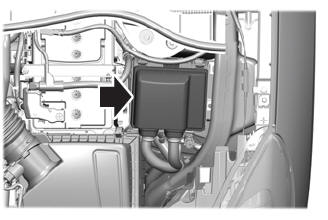
Locating the Under Hood Fuse Box
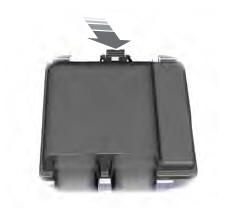
Accessing the Under Hood Fuse Box

Copyright © 2026 www.fordescape4.com