
Ford Escape 2020-2026 Owners Manual / Pre-Collision Assist / Switching Pre-Collision Assist On and Off
Ford Escape: Pre-Collision Assist / Switching Pre-Collision Assist On and Off
You cannot switch the system off.
Adjusting the Pre-Collision Assist Settings
You can adjust the following settings by using the touchscreen controls in the pre-collision assist menu:
- Change alert and distance alert sensitivity to one of three possible settings.
- Switch distance indication and alert on or off.
- If required, switch automatic emergency braking on or off.
- If required, switch evasive steering assist on or off.
Note: Automatic emergency braking and evasive steering automatically turns on every time you switch the ignition on.
Note: If you switch automatic emergency braking off, evasive steering assist switches off.
 Pre-Collision Assist Precautions. Pre-Collision Assist Limitations
Pre-Collision Assist Precautions
WARNING: You are responsible for
controlling your vehicle at all times. The
system is designed to be an aid and does
not relieve you of your responsibility to
drive with due care and attention...
 Locating the Pre-Collision Assist Sensors
Camera.
Radar sensor (if equipped).
If a message regarding a blocked sensor
or camera appears in the information
display, something is obstructing the radar
signals or camera images...
Other information:
Ford Escape 2020-2026 Service Manual: Description and Operation - Engine - Overview
Engine Information NOTE: When repairing engines, all parts must be contamination free. If contamination/foreign material is present when repairing an engine, premature engine failure may occur. NOTE: Specifications show the expected minimum or maximum condition...
Ford Escape 2020-2026 Owners Manual: Automatic Engine Stop
What Is Automatic Engine Stop Automatic engine stop is a feature that switches the engine off if it has been idling for an extended period to help you save fuel. How Does Automatic Engine Stop Work Automatic engine stop turns the engine off. The ignition also turns off in order to save battery power...
Categories
- Manuals Home
- 4th Generation Ford Escape Owners Manual
- 4th Generation Ford Escape Service Manual
- Drive Modes
- Accessing the Trip Computer. Resetting the Trip Computer
- General Procedures - Transmission Fluid Level Check
- New on site
- Most important about car
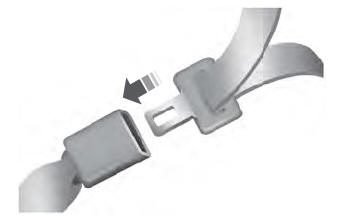
Fastening the Seatbelts

Copyright © 2026 www.fordescape4.com