
Ford Escape 2020-2026 Service Manual / Chassis / Steering System / Steering Column / Removal and Installation - Steering Wheel
Ford Escape: Steering Column / Removal and Installation - Steering Wheel
Special Tool(s) / General Equipment
| Adhesive Tape |
Removal
NOTICE: To prevent damage to the clockspring, make sure the front wheels are in the straight-ahead position.
NOTE: Removal steps in this procedure may contain installation details.
-
Remove the driver airbag.
Refer to: Driver Airbag (501-20B Supplemental Restraint System, Removal and Installation).
-
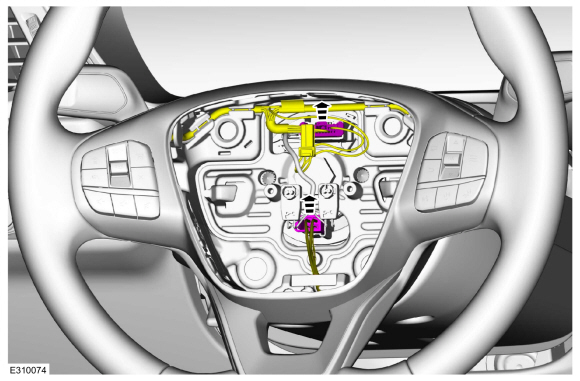
Disconnect the steering wheel electrical connectors.
 |
-
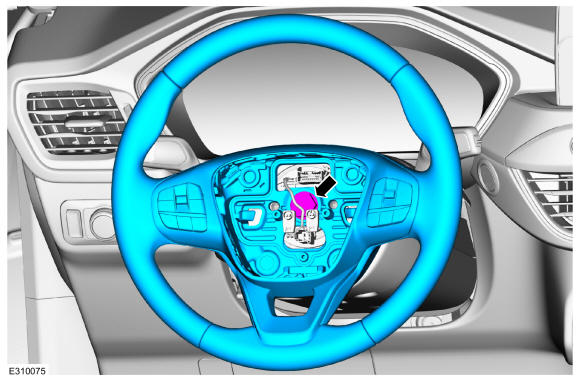
Remove the steering wheel retainer and the steering wheel.
Torque: 35 lb.ft (48 Nm)
 |
-
NOTE: Make sure the clockspring rotor does not rotate.
NOTE: Make sure the clockspring pins are not bent or damaged.
Tape the clockspring rotor to the outer housing to keep it from rotating.
Use the General Equipment: Adhesive Tape
 |
-
NOTE: This step is only necessary when installing a new component.
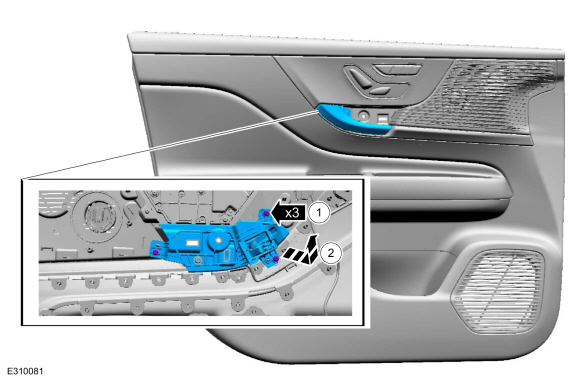
Remove the steering wheel multifunction switch.
Refer to: Steering Wheel Multifunction Switch (211-05 Steering Wheel and Column Electrical Components, Removal and Installation).
Installation
-
To install, reverse the removal procedure.
 Removal and Installation - Steering Column
Removal
NOTICE:
To prevent damage to the clockspring, make sure the front wheels are in the straight-ahead position.
NOTICE:
Precise tolerances are required when manufacturing a
steering column...

Other information:
Ford Escape 2020-2026 Owners Manual: Using SYNC™ With Your Media Player
SYNC supports digital media sources including: iPod, Bluetooth devices, and most USB drives. SYNC also supports audio formats, such as MP3, WMA, WAV and ACC. Media Sources The AUX or MEDIA button allows you to view and select available media sources. Press the AUX or MEDIA button to view your sources. Use the directional arrows and OK button to select your source. You can also use the stee..
Ford Escape 2020-2026 Service Manual: Disassembly - Transmission - Plug-In Hybrid Electric Vehicle (PHEV)
Special Tool(s) / General Equipment 307-163 (T86P-70043-A) Remover, Stator Case BearingTKIT-1986-LMTKIT-1986-F 307-586Differential bearing cup removerTKIT-2006UF-FLMTKIT-2006UF-ROW 307-741Spring Compressor, F Clutch 307-821Motor Rotor Remover Installer 308-001 (T58L-101-B) Remover, Pilot Bearing Hydraulic Press Puller Punch Wooden Block ..
Categories
- Manuals Home
- 4th Generation Ford Escape Owners Manual
- 4th Generation Ford Escape Service Manual
- Drive Modes
- Rear View Camera
- Adjusting the Headlamps
- New on site
- Most important about car
Symbols Glossary
These are some of the symbols you may see on your vehicle.
 Air conditioning system

Copyright © 2026 www.fordescape4.com