
Ford Escape 2020-2026 Service Manual / Chassis / Driveline / Front Drive Halfshafts / Removal and Installation - Intermediate Shaft
Ford Escape: Front Drive Halfshafts / Removal and Installation - Intermediate Shaft
Materials
| Name | Specification |
|---|---|
| Motorcraft® MERCON® ULV Automatic Transmission Fluid XT-12-QULV |
WSS-M2C949-A, MERCON® ULV |
Removal
-
Remove the front halfshaft RH .
-
Remove and discard the circlip and O-ring seal from the intermediate shaft.
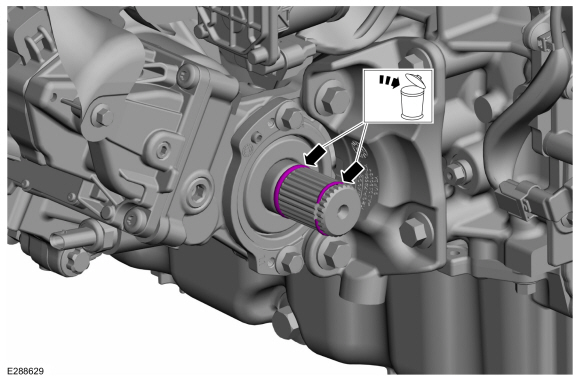 |
-
Remove and discard the intermediate shaft mounting bolts.
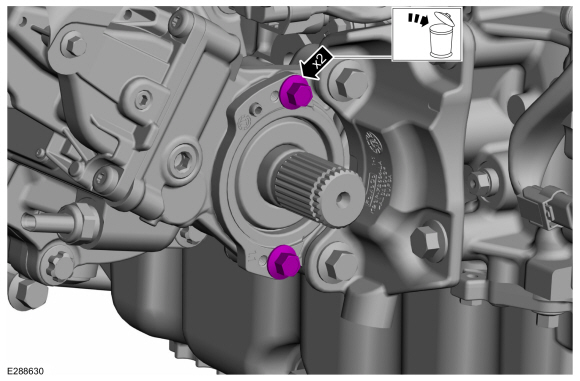 |
-
Install two 6mm x 1.0 x 20mm bolts into the flange threads.
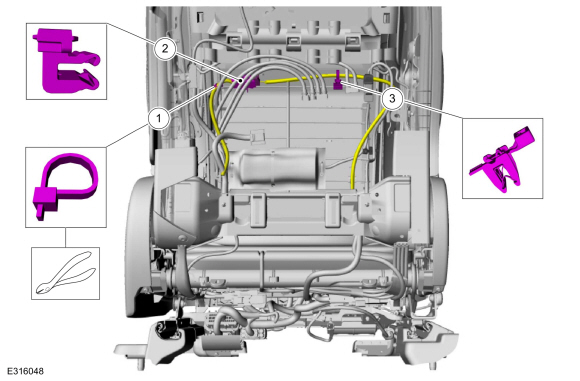 |
-
Turn bolts evenly one turn at a time and remove the intermediate shaft.
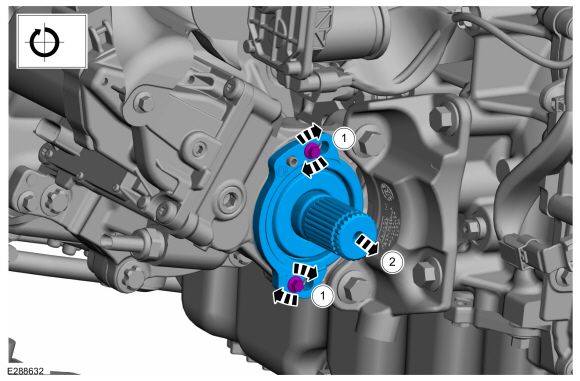 |
-
Remove and discard the intermediate shaft bearing O-ring seal.
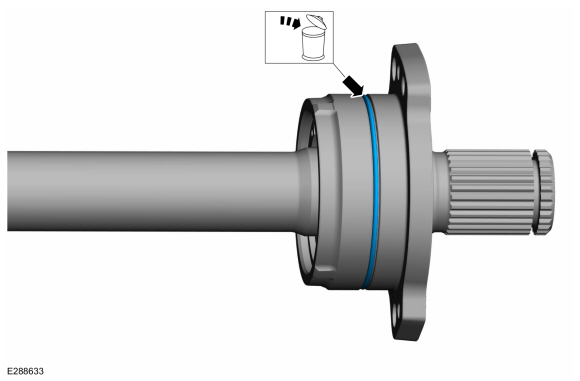 |
Installation
-
NOTE: Component(s) must be lubricated with clean automatic transmission fluid.
Lubricate the new intermediate shaft bearing O-ring seal before installation with the specified material.
- Material: Motorcraft® MERCON® ULV Automatic Transmission Fluid / XT-12-QULV (WSS-M2C949-A, ) (MERCON® ULV)
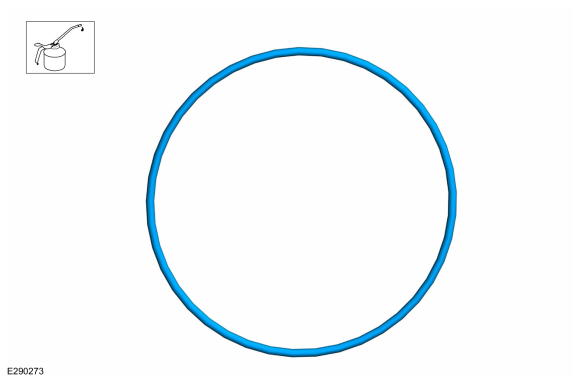 |
-
Install the new intermediate shaft bearing O-ring seal.
 |
-
-
Install the intermediate shaft in the PTU until the shaft flange is flush with the PTU housing.
-
NOTE: Don't tap on the flange ears.
-
NOTE: If necessary, tap on the bearing housing around the seal flange.
-
Install the intermediate shaft in the PTU until the shaft flange is flush with the PTU housing.
 |
-
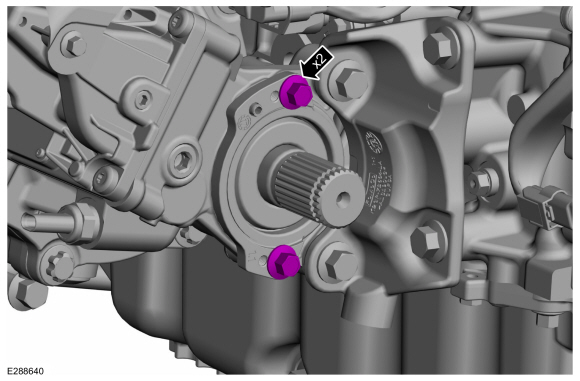
NOTE: Make sure that new bolts are installed.
Install new bolts.
Torque: 18 lb.ft (25 Nm)
 |
-
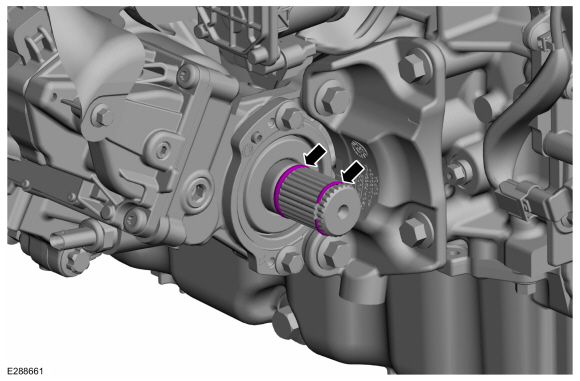
Install the new circlip and O-ring seal on the intermediate shaft.
 |
-
Install the front halfshaft RH .
-
Check the transmission fluid level.
Refer to: Transmission Fluid Level Check (307-01A Automatic Transmission - 8-Speed Automatic Transmission – 8F35/8F40, General Procedures).
Refer to: Transmission Fluid Level Check (307-01A Automatic Transmission - 8-Speed Automatic Transmission – 8F35/8F40, General Procedures).
Refer to: Transmission Fluid Level Check (307-01A Automatic Transmission - 8-Speed Automatic Transmission – 8F35/8F40, General Procedures).
 Removal and Installation - Front Halfshaft RH
Special Tool(s) /
General Equipment
204-161
(T97P-1175-A)
Installer, HalfshaftTKIT-1997-LM2TKIT-1997-F/FM2TKIT-1997-FLM2
205-D070
(D93P-1175-B)
Remover, Front Wheel Hub
Tie Rod End Remover
Removal
Remove the wheel and tire...

Other information:
Ford Escape 2020-2026 Service Manual: Removal and Installation - SYNC Module [APIM] to Universal Serial Bus (USB) Port Cable
Special Tool(s) / General Equipment Interior Trim Remover Removal SYNC module [APIM] to universal serial bus (USB) hub cable (instrument panel side) Remove the APIM . Refer to: SYNC Module [APIM] (415-00 Information and Entertainment System - General Information, Removal and Installation). Disconnect the in-line USB cable connector. ..
Ford Escape 2020-2026 Service Manual: Description and Operation - Parking Aid - System Operation and Component Description
System Operation Parking Aid - Audible System Diagram Item Description 1 Rear door speakers 2 Front door speakers 3 TRM 4 BCM 5 PCM 6 DSP 7 ACM 8 IPC 9 APIM 10 ABS module 11 with 10 speaker system 12 GWM 13 PSCM 14 PAM 15 Right front ..
Categories
- Manuals Home
- 4th Generation Ford Escape Owners Manual
- 4th Generation Ford Escape Service Manual
- Child Safety Locks
- Locating the Pre-Collision Assist Sensors
- Fuel Quality
- New on site
- Most important about car
Fastening the Seatbelts

Copyright © 2026 www.fordescape4.com